Spendly: Smart Expense Tracker2.0
Publisher Description
SPENDLY - Smart Expense Tracker
SPENDLY helps you track every dollar with ease. Whether you’re managing daily spending, monitoring monthly budgets, or analyzing where your money goes, SPENDLY gives you the tools to stay on top of your finances.
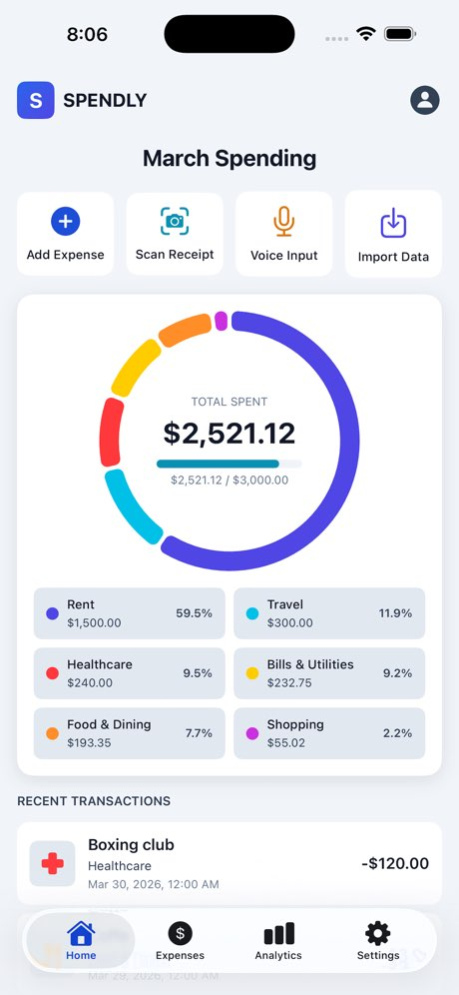
TRACK EXPENSES YOUR WAY . Add expenses manually with a simple, clean form . Scan receipts with your camera-capture and attach receipt images to any expense . Use voice input to add expenses hands-free-speak the amount and details, and SPENDLY transcribes it for you . Choose from multiple currencies to match your region
ORGANIZE WITH CATEGORIES . 10 built-in categories: Food, Transportation, Shopping, Entertainment, Utilities, and more . Create unlimited custom categories with your own icons and colors . Add subcategories for fine-grained organization (e.g., Food → Groceries, Restaurants) . Color-coded categories for quick visual identification
BEAUTIFUL ANALYTICS . Interactive pie charts show your spending breakdown by category . Monthly, weekly, and daily statistics at a glance . Spending trends and category comparisons . Set a monthly budget and track your progress with visual indicators . Dashboard with recent transactions and quick stats
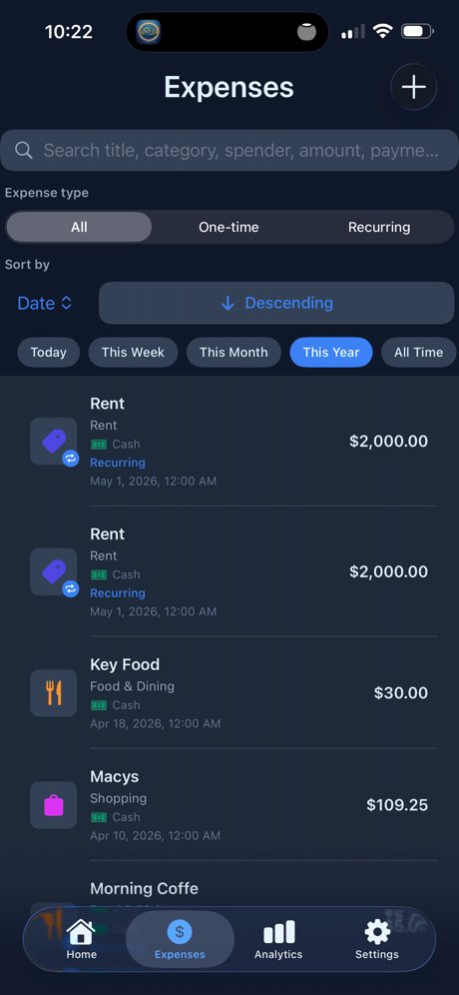
FLEXIBLE & ACCESSIBLE . Light, Blue (premium), and Dark themes-choose what suits you . Match system appearance or auto-switch by time of day . Optimized for both iPhone and iPad with adaptive layouts . Clean, modern design following Apple Human Interface Guidelines
YOUR DATA, YOUR DEVICE . All data stored locally on your device-no account required to start . Export and import your data for backup or transfer . Profile picture/avatar on your dashboard . Manage categories, budgets, and preferences in Settings
GET STARTED IN SECONDS . Friendly onboarding for first-time users . Optional currency and theme setup . Sample data option to explore features before adding your own
Download SPENDLY today and take the first step toward smarter spending habits.
Terms of Use: http://smart-apps.us/contents/apps/spendly/docs/terms-of-service.html
Version History RECURRING EXPENSES: Add support for daily, weekly, monthly, or yearly recurring expenses. Set reminders in advance so you never miss a payment.
MULTIPLE SPENDERS: Create and manage multiple spenders in Settings. Assign a spender to each expense and use Analytics to compare spending totals and trends by person—not just by category.
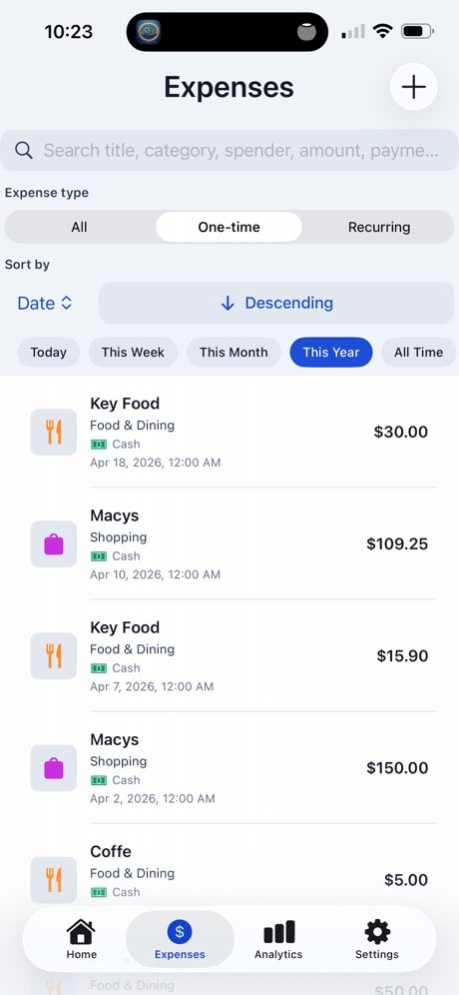
ENHANCED SEARCH & FILTERING: Quickly find what you need with powerful search and filtering. Filter by date range, expense type, category, payment method, and easily distinguish between one-time and recurring expenses.
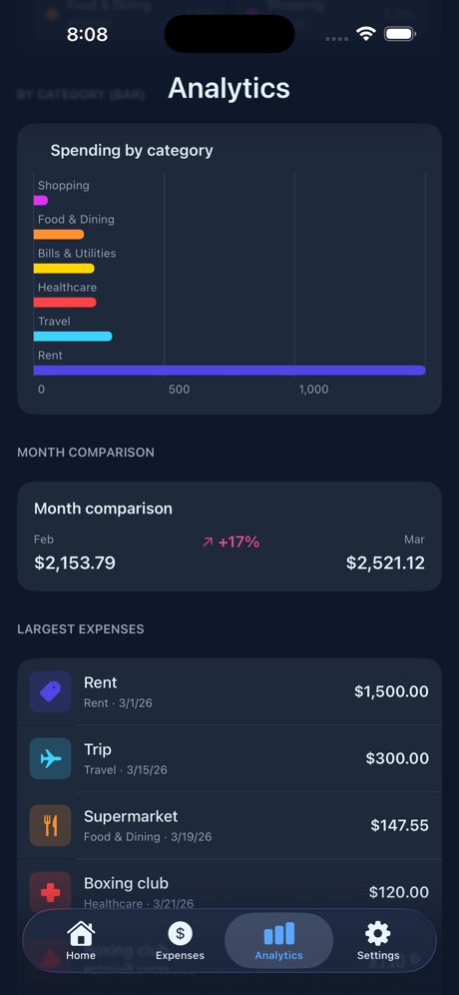
ENHANCED ANALYTICS: Select specific months and years to analyze your expenses. View detailed summaries, spending trends, category breakdowns, payment method insights, and period-to-period comparisons.
IMPROVED IMPORT & EXPORT: Import expenses from CSV or text files with flexible formatting for dates, amounts, and categories. New category names are automatically created. Export your data as a complete CSV file, including spender names and stable IDs for recurring templates. 2.0 May 16 1.0 Apr 2
About Spendly: Smart Expense Tracker
The company that develops Spendly: Smart Expense Tracker is Ibrahim Abouhaikal. The latest version released by its developer is 2.0.
To install Spendly: Smart Expense Tracker on your iOS device, just click the green Continue To App button above to start the installation process. The app is listed on our website since 2026-10-13 and was downloaded 0 times. We have already checked if the download link is safe, however for your own protection we recommend that you scan the downloaded app with your antivirus. Your antivirus may detect the Spendly: Smart Expense Tracker as malware if the download link is broken.
How to install Spendly: Smart Expense Tracker on your iOS device:
- Click on the Continue To App button on our website. This will redirect you to the App Store.
- Once the Spendly: Smart Expense Tracker is shown in the iTunes listing of your iOS device, you can start its download and installation. Tap on the GET button to the right of the app to start downloading it.
- If you are not logged-in the iOS appstore app, you'll be prompted for your your Apple ID and/or password.
- After Spendly: Smart Expense Tracker is downloaded, you'll see an INSTALL button to the right. Tap on it to start the actual installation of the iOS app.
- Once installation is finished you can tap on the OPEN button to start it. Its icon will also be added to your device home screen.
Program Details
System requirements
Download information
Pricing
Version History
version 2.0
posted on 2026-10-13
Version History RECURRING EXPENSES: Add support for daily, weekly, monthly, or yearly recurring expenses. Set reminders in advance so you never miss a payment.
MULTIPLE SPENDERS: Create and manage multiple spenders in Settings. Assign a spender to each expense and use Analytics to compare spending totals and trends by person—not just by category.
ENHANCED SEARCH & FILTERING: Quickly find what you need with powerful search and filtering. Filter by date range, expense type, category, payment method, and easily distinguish between one-time and recurring expenses.
ENHANCED ANALYTICS: Select specific months and years to analyze your expenses. View detailed summaries, spending trends, category breakdowns, payment method insights, and period-to-period comparisons.
IMPROVED IMPORT & EXPORT: Import expenses from CSV or text files with flexible formatting for dates, amounts, and categories. New category names are automatically created. Export your data as a complete CSV file, including spender names and stable IDs for recurring templates. 2.0 May 16 1.0 Apr 2
